
Appearance
The trusted layer: what you can't do
You'll learn: the few things on screen that are never yours, and why. You'll need this when: you design full-screen UI, menus or anything that asks a player for input.
Status: Built (headless, and in the plots dev stack): reserved controls never reach plots, the trusted events go out on a channel plots can't touch, and the plots dev page and the iOS app's native plot UI draw the trusted layer. Not in the live world yet.
Draw anything, except these
Your plot can draw anything: HUDs, crosshairs, binoculars, full-screen menus, video, a top-down camera. Coverage isn't limited. What can't be covered is the trusted layer, drawn by the base game last, over everything:
| Element | Where (iPhone portrait) | When |
|---|---|---|
| The settings button and chat, the app's Back and tab bar | settings top left, chat top right, about 52×52 pt | always |
| Leave {your plot} | the first item of the settings menu (there's no Leave button on screen) | inside your plot, or looking on |
| The base's own controls (hotbar, jump, sneak, sprint) | where the base draws them | always |
| Prompts ("keep your items?", base transfers) | a bottom sheet, up to 40% of the height; your input pauses | on demand |
| Entry protection and the start countdown | a shimmer round the body; a ring at the top centre | while a player is protected, and during a start countdown |
| "Typing to {your plot}" | a strip above the keyboard | while your text field has focus |
| Real players' nametags | over each real player, in the trusted style | always (you may turn them off) |
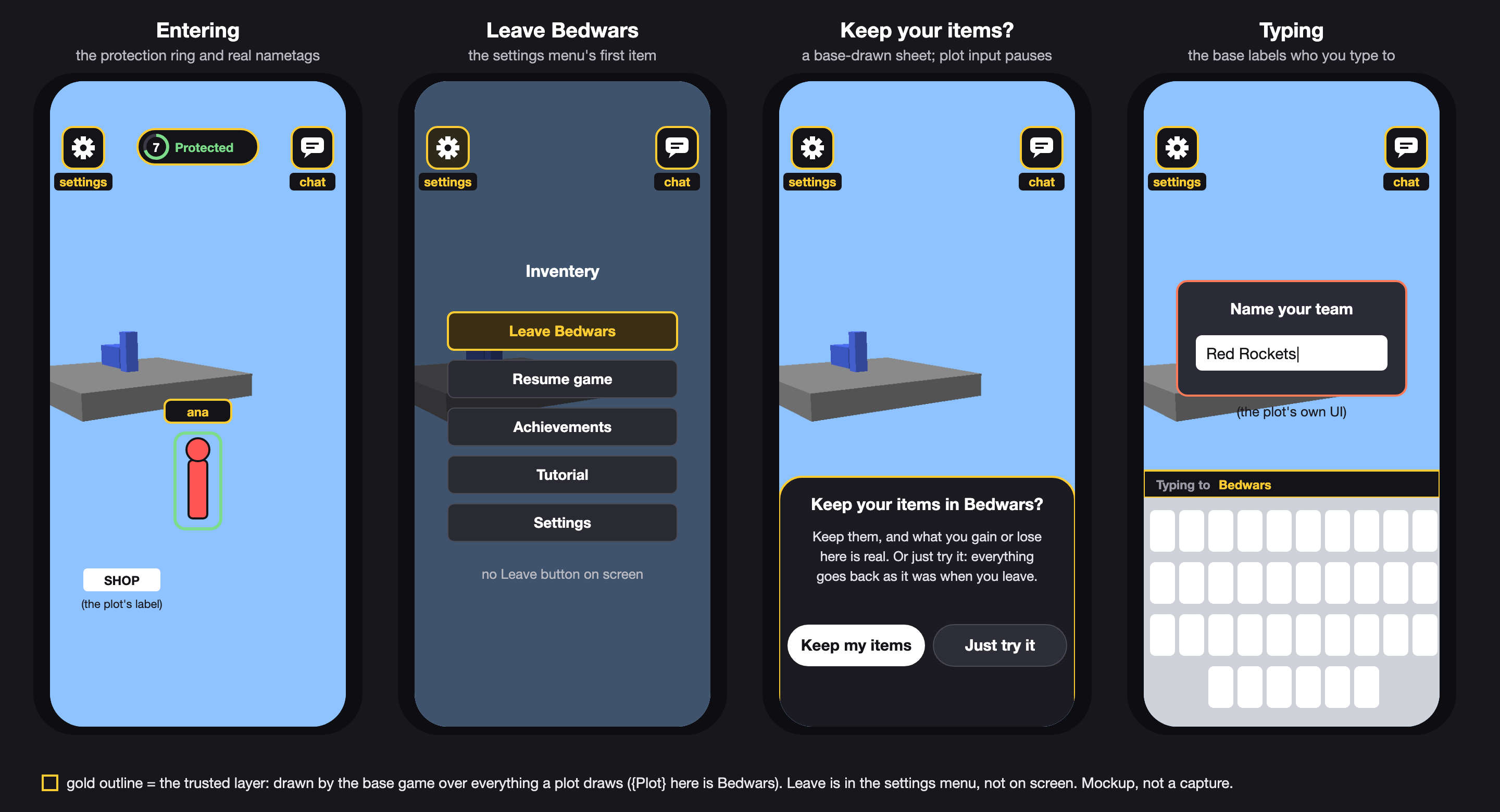
A mockup (Bedwars as the plot): the settings button top left and chat top right on every screen, the entry protection ring at the top centre with a real nametag, the settings menu open with "Leave Bedwars" first (there's no Leave button on screen), the "Keep your items in Bedwars?" sheet, and the "Typing to Bedwars" strip. Gold outlines mark what the base game draws over any plot.
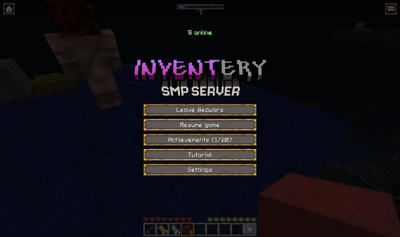
A capture from the plots dev page: the settings menu inside the Bedwars plot, "Leave Bedwars" first.
So in practice, keep your own important UI off the settings button, the chat corner and the top-centre ring area. The rest of the top-left corner is yours.
The reserved controls
The settings button (and its menu's "Leave {your plot}"), chat, the hotbar and the base's touch controls, the app's Back and the system gestures go to the base game, never to your plot: a "hit" region of your overlay over them never gets their taps. A "leave" action never shows up in input.read(). You can be as strict as you like with the camera and controls, because no one is ever stuck.
Text entry is labelled
ui.askForText(p, "Name your ship") opens a text box (the answer arrives in onTextSubmit); the base labels it "Typing to {your plot's name}". The name is your plot.json name. A plot can draw a fake sign-in screen, so the label tells players who they're typing to. Real sign-in only happens in the app's own screens, outside the world.
Nametags
Nametag components are your own labels, never in the trusted style. Real players get trusted tags from the room. You may hide them (players.setRealNametagsVisible(false), runtime only, for anonymity games), but you can never draw one.
No device, no secrets
Plot code has no imports for the clipboard, notifications, haptics, camera, microphone, location, files, motion sensors or the network. A player is a per-plot id and a display name; you never see account ids or tokens. Base UI sounds are reserved assets you can't load.